

Start your first RiskMapped case
Set up your firm details, build one real case and use the outputs in your next protection conversation.
Set up the workspace
Use the link in your approval email to create your password. Add your company logo, address, FCA number and phone under Account Settings.
Build a real case
Create a case and record the client, income, expenditure, liabilities, employer benefits and current policies.
Prepare the advice
Use Policy Selection to compare current cover with the options you want to present, then generate the Presentation Pack.
Complete it in this order
-
01
Client details
Check dates of birth, retirement ages and employment facts.
-
02
Money in and out
Add gross and take-home income, expenditure, assets and liabilities.
-
03
Current cover
Record each active policy and employer benefit.
-
04
Policy Selection
Review Home, Income and Family before selecting a package.
-
05
Presentation Pack
Resolve the readiness checks and generate the pre-meeting report.
-
06
Feedback
Note anything unclear or slow and send it to the RiskMapped team.
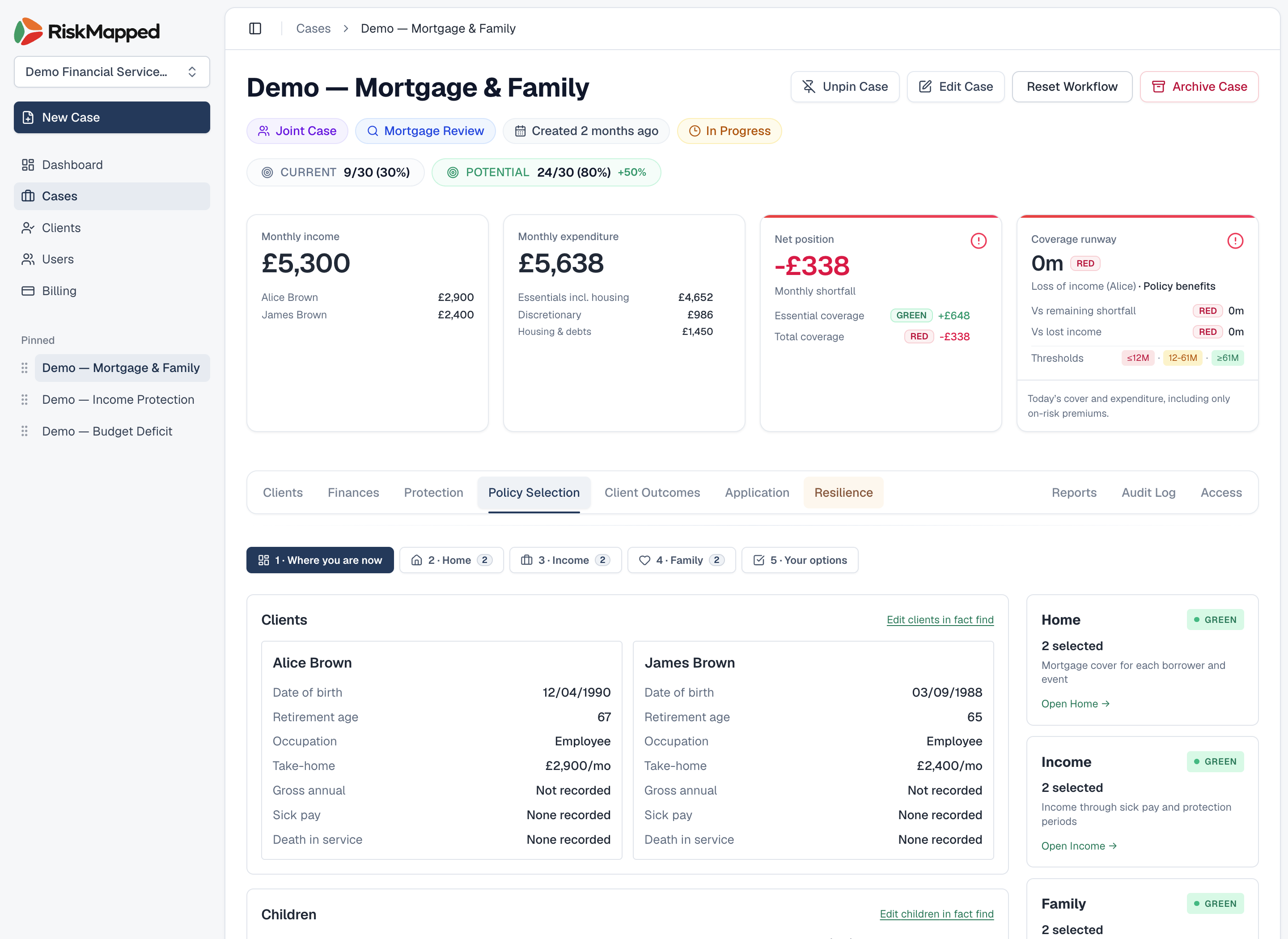
Compare the current position before selecting cover
Summary is the starting point. Home, Income and Family then show the options and their effect on the case.
What useful feedback looks like
Tell us which case you were working on, the screen you were using, what you expected and what happened. A screenshot or short recording helps when the problem is visual.
Feedback on wording, missing adviser facts, report usefulness and meeting flow is as useful as a technical bug.
Email Founding User feedback